

How to join a Hytale Server
Once you have a Hytale server created and running, it's time to join the server! These instructions will show how to connect to a server.
Find your Server Address
- From the Servers page, click on "Manage" next to the server.
- There will be two addresses: a Friendly Address and an IP Address. There are two ways to copy the address:
-
Friendly: Copy the Friendly Address and the Port. The server address should look like
myserver.g.akliz.net:12345 -
IP: Copy the IP Address and the Port. The server address will look like
123.45.67.89:12345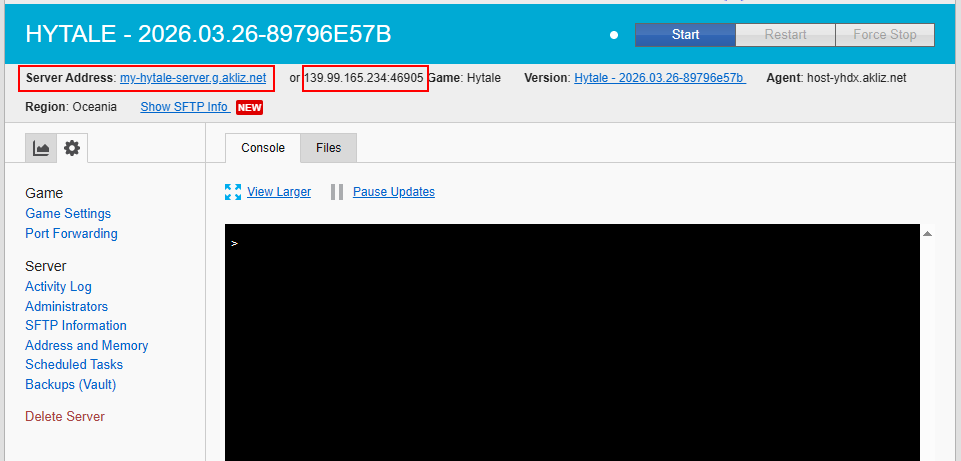
-
Join your Hytale Server
-
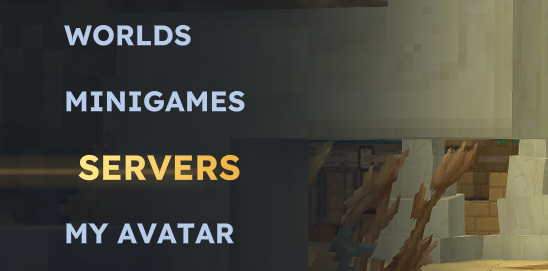
From the main menu, click on Servers.
-
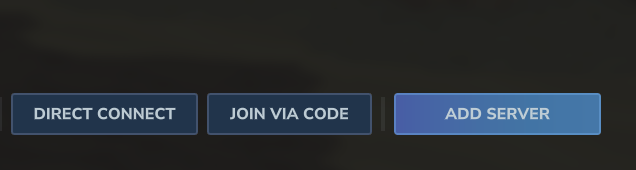
Click Add Server in the bottom-right corner.
-
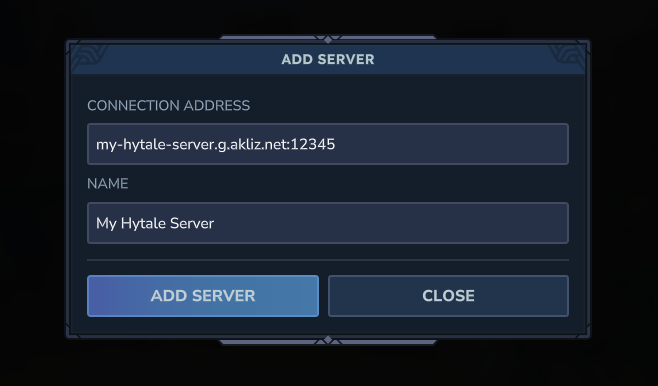
Fill out the server information
-
Server Connection - The server address. This will be one of the two addresses from the Find your Server Address section.
-
Name - The name of the server. This can be whatever you want.
-
-
Click on Add Server to add the server to the Servers page.
-
Double-click on the server to join.
Updated 18 days ago
Did this page help you?